VMware

VMware Tools – Settings Time Sync Settings via the CLI

With the latest and greatest VMware Tools updates, you may have noticed a change to the VMware Tools Toolbox. Mainly, the inability to do anything that you used to be able to do. Now you are simply greeted with the version, some copyright information and a status that tells you if the service is running or not.
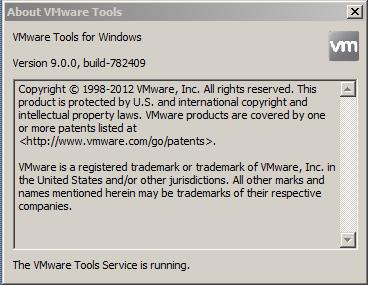
vmwaretools_toolbox

This change is outlined in the ESXi 5.1u1 notes as follows:
VCP-IaaS Exam Experience

This morning, I passed the VCP-IaaS exam making me an official VCP-Cloud.

Overall, I found the test to be a nice add-on to the VCP5 test that I took back in 2011 and not as hard as I was expecting it to be. Don’t get me wrong, you have to know your stuff. But I think of all the tests that I’ve taken from VMware, this one was more in line of what you would encounter on a day-to-day basis as a vCloud Administrator which is what I think certification tests should be rather than pure memorization of the admin guides. This could be that my role over the past 6 months has been to roll out a vCloud environment, produce a bunch of internal documentation and training, and find new and interesting ways to break the environment.

vCloud – Licensing error while accessing vSphere Profile-Driven Storage

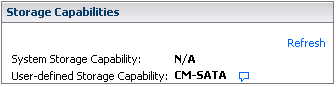
Recently I was spooling up a dedicate cluster of hardware for a customer in our vCloud environment. It’s a smallish cluster of 5 hosts with a dedicated pool of storage. Nothing out of the ordinary here. Created the DRS/HA Host Cluster. The storage guys had already done the various zoning and disk LUN creation so that was added to the cluster and tagged it with a User Defined Storage Capability.

storage_profile_error2

VMworld 2012 Predictions Follow Up

Before VMworld, I laid out a few of my predictions of what I thought we’d see at the conference. Let’s see how I did…

  • vRAM is dead. The rumors were true. This was kind of a gimme but I’ll take it. So long vRAM licensing!
  • vCloud 2.0. Got this one too though its vCloud 5.1 to line up the numbering scheme with vSphere. We have snapshots and multiple disk levels supported within the provider vDCs. At the conference, I can’t say for sure that the vConsole app was new, but it worked in Chrome which is a huge step forward.
  • Virtual Phone for iOS. Yup, but not in the same way that they are doing it for Android. But still a protected application that has some nice tricks like not allowing you to copy and paste from the protect app to another application running on the phone.
  • One pane of glass to rule them all. You could argue that the purchase of DynamicOps makes this happen, but its not fully integrated yet. I think next year will be the real integration and we’ll get that one pane of glass feel to managing our environments.

3 out of 4 isn’t too bad.

VMworld 2012 – Day 4

Last day of VMworld!

Its been a good conference for me. Solid sessions and the labs that I’ve done have been good. Its my second year here so things are a bit different than they were last year. In Vegas in 2011, I loaded up my schedule with sessions upon sessions. This year, no where near as many sessions as they are all online and available after the fact. This year I tried to get into the labs more, but honestly, the labs had some issues. There were quite a few issues just getting the sessions to launch for me in the “traditional” route. Where I had the better luck was with the BYOD labs. Basically load up a web page, launch the lab and then fire up your view client. Slick! And the best part, there have been rumors and a wonderful lady that I spoke to yesterday pretty much confirmed they will offer the labs after the conference. Solid!